Everything you need for life outside the classroom
Winter Welcome
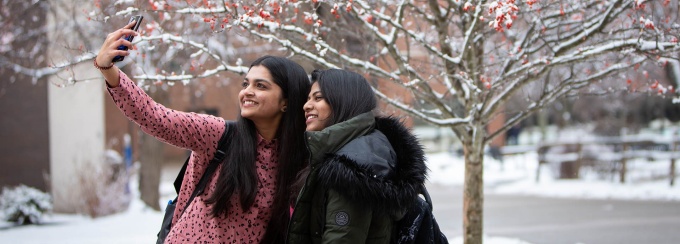
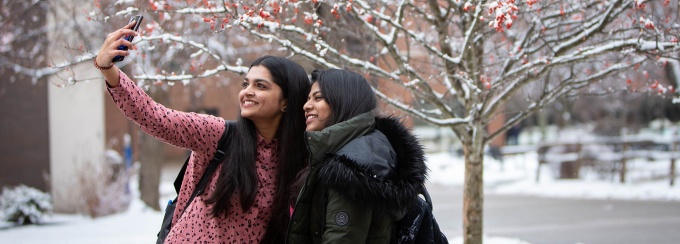
Prepare for the start of the spring semester during this on-campus program.
On this page:
As sometimes happens here in Buffalo, NY, winter weather conditions can alter or change plans. The University at Buffalo has canceled classes and activities for Tuesday, January 20, including Winter Welcome.
For the latest information and campus services updates, please visit UB Alert.
For help with your start at UB:
- If you have not done so already, complete the required Winter Orientation Online Modules. Check your UB email for details.
- Complete important tasks listed on the New Student Checklist.
- Pick up your UB Card from 1Capen.
- For other individual questions or concerns, please contact UB resource offices and academic advising units.
On Wednesday, January 21:
- Stop by Welcome + Information Tables from 8:00 a.m. – 3:00 p.m. (Student Union, Baldy Hall or Capen Hall) to ask questions or for directions from orientation staff.
- Stop by First Day Photos from 10:00 a.m. – 3:00 p.m. (Capen Hall) to celebrate the first day of classes at UB with a pic!
- Participate in Transfer Gear Swap. Bring gear from your previous school to First Day Photos in Capen Hall to swap for fresh UB gear.
Winter Welcome is the official kick-off to the spring semester for new students. The on-campus program in January will help you prepare for academics at UB, explore UB resources and connect with other students.
We cannot wait to welcome you to UB and help you plan for a successful first semester!
During Winter Welcome, you will:
- Be welcomed to UB
- Prepare for academics
- Explore out-of-classroom activities
- Connect with others
- Begin the adjustment to life as a UB student
- Explore UB campuses
Winter Welcome is an on-campus experience on Tuesday, January 20; classes begin Wednesday, January 21.
If you are living in on-campus housing, plan to move in and get settled in your space no later than Monday, January 19. The earliest on-campus move-in date is Saturday, January 17. You will receive more specific information about move-in from Campus Living in January.
If you are living off-campus, commute to campus for Winter Welcome. If you are moving to the area, we recommend arriving and getting settled in your space by Monday, January 19.
You should move in before Tuesday, January 20 to participate in Winter Welcome.
Dates
- January 19 - arrive in Buffalo, NY no later than this date
- January 20 - attend Winter Welcome
- January 21 - classes begin
Learn more about:
What's Required
All new students are expected to attend Winter Welcome. The program will help you get to know your new university, including academic expectations and helpful on-campus resources. You will also connect with other new students and hear from current students.
First-year students are required to attend.
Transfer students are not required, but highly encouraged to attend.
COMMON QUESTIONS
Have a question about Winter Welcome or anticipate a conflict? Visit our Frequently Asked Questions for guidance.
Who should attend?
Winter Welcome is just for new students. Family members or supporters can learn more about supporting your start at UB through On-Demand Information; they should not attend the program with you.
How to Get to UB
Check-in for Winter Welcome takes place in the Student Union on the University at Buffalo's North Campus. Plan to arrive at 9:00 a.m. to receive program materials, including a printed schedule.
If you plan to arrive by UB bus/shuttle, view the schedule for "North Campus Shuttle" and pick up the shuttle at your location to arrive to the Lee Loop.
If you plan to drive to UB, you may park at the Jarvis B Lot (enter 'Jarvis B Lot, University at Buffalo' in your GPS or navigational tool, or visit Google Maps for directions to Jarvis B Lot). Your license plate is your parking pass; register your license plate (requires UBIT name/password) before your first trip to campus. If Jarvis B Lot is full, park in the connected Jarvis A Lot.
Additional Resources
Winter Welcome Schedule Overview
You will receive a detailed printed schedule when you check in on Tuesday, January 20. Review the schedule overview below for what to expect during the program and how to maximize your time on campus.
| TIME | SESSION |
| 9:00 a.m. | Winter Welcome Check-In in the Student Union on UB's North Campus. |
| Morning | Sessions include:
|
| Mid-Day | Sessions include:
|
| Afternoon | Sessions include:
|
| Evening | Sessions include:
|
First-year students, plan to attend until 6:00 p.m.; transfer students, plan to attend until 4:15 p.m.
| TIME | EVENT |
| 8:15 a.m. - 3:00 p.m. | Welcome + Information
Look for orientation staff at key locations for help finding your way around campus the first day of the semester. |
| 10:00 a.m. - 3:00 p.m. | First Day Photos
Celebrate the first day of classes at UB with us in One World Café! We'll have signs and photographers to help you capture the moment.
If you post on social media, be sure to tag us (@ubstudentexp) and use UB hashtags (#ubuffalo and #NewtoUB). |
| TIME | EVENT |
| Afternoon | Campus Involvement Fair
Looking for student organizations to join? Attend this event to connect with student-run clubs and organizations as well as some campus departments.
|
Transfer Gear Swap
Bring gear from your previous school to swap for UB gear during the Involvement Fair on Friday, January 23!
On-Campus Resources
Complete these tasks during or shortly after Winter Welcome.
- (international students only) Complete the online International Student Check-In and upload all required immigration documents, including your Form I-94 (only available after you enter the U.S.).
- Connect to UB's eduroam Wi-Fi. eduroam is UB's official Wi-Fi for internet on all three campuses. Follow the instructions for connecting your device and you'll stay connected at universities worldwide that offer eduroam.
- Set up UBmail on your devices. Learn how to set it up on your smartphone, tablet or computer.
- You are automatically signed up for UB's official emergency notification system: UB Alert. Update or add additional phone/email contacts in your HUB Student Center (access through MyUB, requires UBIT name/password).
- Download the UB Guardian App to turn your phone into a personal safety device on campus.
- Download the GET App to order and pay for campus meals using your meal plan from the convenience of your phone.
- Understand bus and shuttle schedules to get around and between campuses. View the bus schedules.
- Make a plan for how you'll get your textbooks: buy, rent, borrow, and/or share.
- Download UB Mobile to take UB with you wherever you go.
- Download your UBLinked Event Pass to your phone wallet or camera roll to check in to events at UB.
- Download the UB Horns Up App and create your account using your UB email to access your tickets to all UB Athletics events.
STAY ON TRACK
Take action on the New Student Checklist tasks during or shortly after Winter Welcome.
Helping new students transition to life at UB:
Student Life
University at Buffalo
112 Student Union, North Campus
Buffalo, NY 14260
Phone: (716) 645-6125